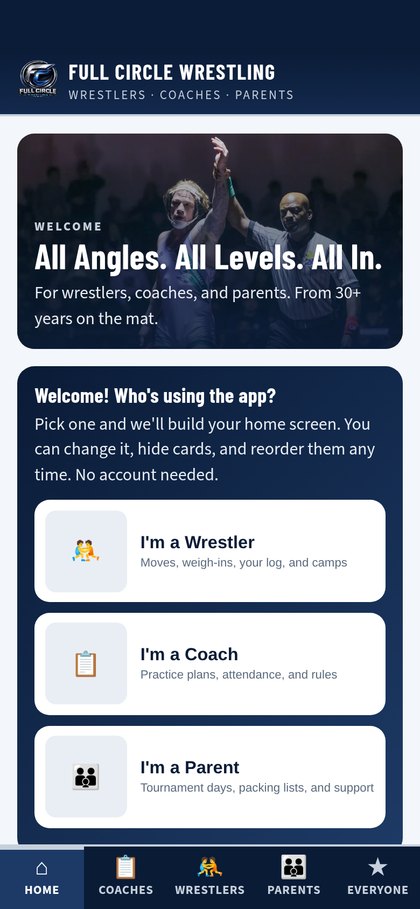
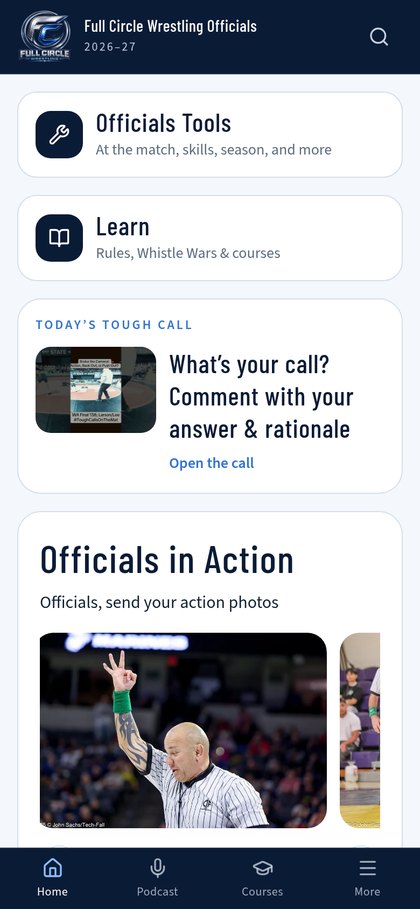
Google needs at least 12 active testers on each app for 14 days before the FCW Wrestling app and the FCW Officials app can go live on Google Play. Both apps are free. Officials is also on iPhone through TestFlight — no email needed. The Wrestling app is Android only for now.
Email “Add me” from the Gmail account signed in to Google Play on your Android phone. Tap Get added to start that email. Other email addresses can’t be added to the test.
2
We’ll add you to both tester lists and reply with the links, usually the same day.
3
On your Android phone, open each link and tap “Become a tester.” Already on the list? Use the Android buttons above.
4
Tap the blue “download it on Google Play” link and install the app.
Don’t stop when the page says “You are a tester.” That means it worked — you still have to tap download to install the app.
5
Install both apps, keep them for 14 days, and open them a few times a week. If Play says an app isn’t available yet, wait an hour or two and try again.
During the 14 days
What we need from testers
Open the app a few times a week. On Android, signing up is not enough — Google looks for real use over 14 days.
Try different screens, not just the home page.
Tell us about bugs, confusion, or anything that looks wrong. Android testers can reply to the confirmation email; iPhone Officials testers can email [email protected] or use the contact on this site.
Questions
FAQ
I see “You are a tester” — now what?
That page means you’re enrolled. Scroll to the blue “download it on Google Play” link and tap it to install the app. If you stop on the “You are a tester” screen, the app is not on your phone yet. If Google Play then says the app isn’t available, wait an hour or two and open the download link again.
Do I need a Gmail?
Only for Android. Google’s closed test can only add Gmail addresses, and it has to be the Gmail account signed in to Google Play on your Android phone. If you email us from a different address, we won’t be able to get you in. iPhone testers installing the Officials app through TestFlight do not need a Gmail and do not need to email us first.
iPhone?
The FCW Officials app is available on iPhone through Apple’s TestFlight app. You don’t need to email us first. Install TestFlight from the App Store, open the Officials TestFlight link on this page, tap Accept, then tap Install. The FCW Wrestling app is Android only for now; there is no iPhone version yet.
Is the Wrestling app on iPhone?
Not yet. The Wrestling app is Android only for now. If you have an iPhone, you can still test the Officials app on TestFlight.
iPhone
Officials app on TestFlight
The FCW Officials app is ready for iPhone through Apple’s TestFlight app. You don’t need to email us first — open the link, accept the invite, and install. The FCW Wrestling app is Android only for now. There is no iPhone version of the Wrestling app yet.